 RageKit
How to add collision to a YDR model
A GTA V model is solid only if it has collision: bounds stored inside the .ydr or in a separate .ybn file. A prop you can walk through has neither. In RageKit, Model Import generates collision when it converts an FBX, OBJ or glTF, as fitted primitives, convex hulls and a simplified mesh, and the RPF Explorer's collision editor generates a .ybn for an existing model or edits the collision it already has. Both need Premium; viewing a model's collision is free.
Before you start
- Premium: Model Import and the collision editor need it. Viewing collision in the RPF Explorer is free. See Free and Premium.
- The model: an FBX, OBJ, glTF or GLB source file, or a finished
.ydr,.yddor.yft. - For a file from the game, a copy in
mods/. Game files outside it are read-only.
Steps
Open the source model
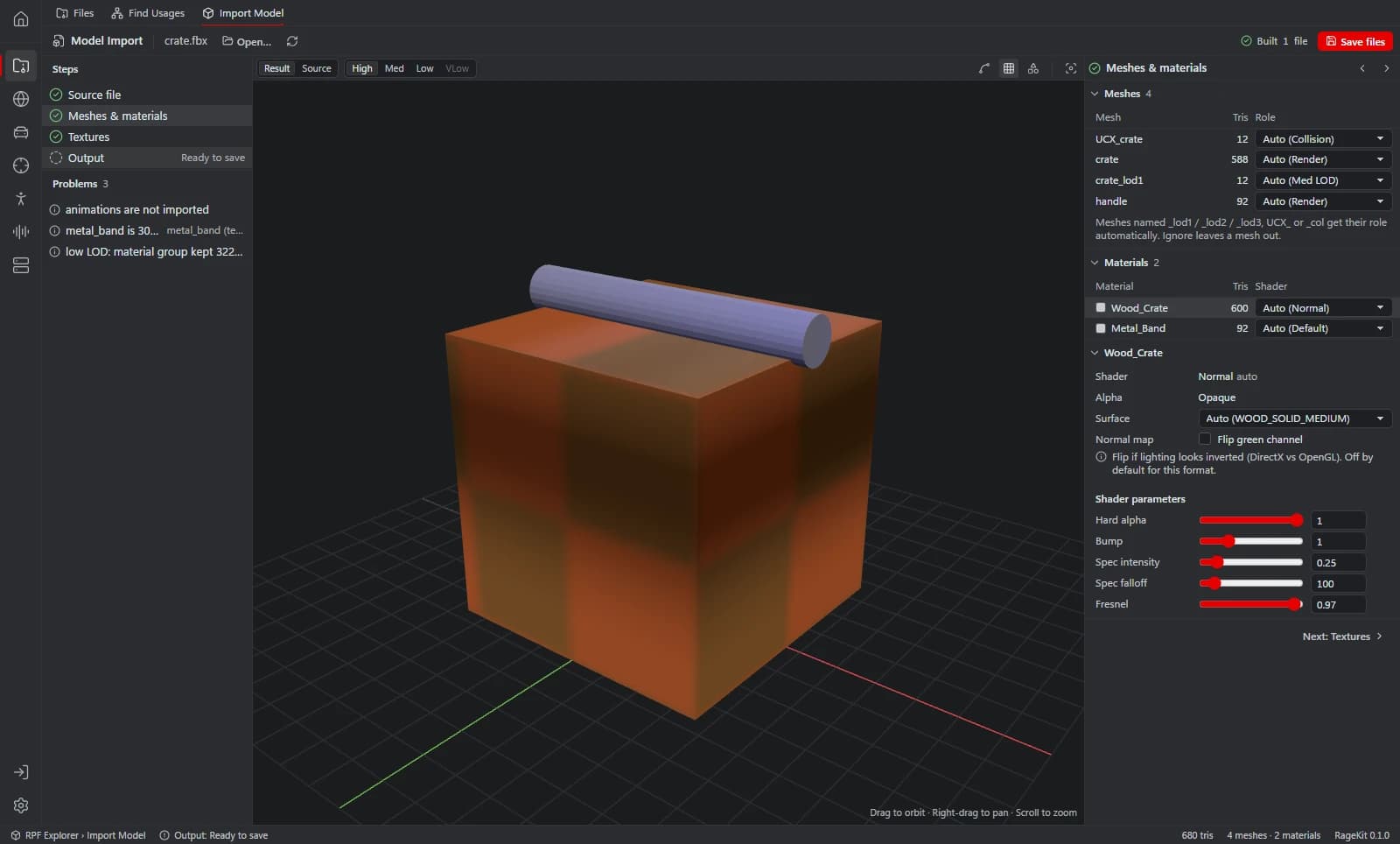
Open Model Import, choose Choose file… and pick your FBX, OBJ, glTF or GLB. The conversion itself is covered in how to convert FBX to YDR.
Generate the collision
On the Output step, under Collision, set Shape to Generate: primitives, hulls + mesh. Each piece of the model becomes a box, sphere, capsule or cylinder where one fits, a convex hull where the piece is nearly convex, and part of a simplified triangle mesh otherwise.
- Keep sets how many triangles the mesh part keeps. Fit sets how closely a primitive must match a piece before it replaces the piece's triangles.
- The other shapes are Simplified mesh (the default), Convex hull per material, Bounding box, My collision meshes (UCX_ / _col) and None.
- A Fragment (.yft) always has collision.
Choose where it's stored
Set Stored to In model, .ybn or Both. In model puts the collision inside the model file; .ybn writes
<name>.ybnbeside it.Set the surfaces
Surface is the collision material: it decides footsteps, bullet impacts and tyre grip. Set the default under Collision, and a surface per material under Meshes & materials.
Check and save
In the preview, switch to Result and turn on Collision overlay. The Build report lists the collision's mode, triangles, surfaces and where it's stored. Then choose Save files.
Add collision to an existing model
For a
.ydryou already have, open it in the RPF Explorer and switch its view to Collision. If the model has none, choose Generate .ybn: RageKit builds collision from the model's mesh and writes a.ybnwith the model's name next to it.Edit the collision
Open a
.ybnand switch to Edit, or use a model's Collision view. Regenerate rebuilds it as Automatic, Primitives only, Convex hulls, Simplified mesh or One box. Add puts in a box, sphere, capsule or cylinder to move, rotate and resize. Save writes it back.- Click picks a polygon or primitive, Shift adds to the selection and Alt picks the whole part.
- To change a surface, select polygons or pick a surface in the Surfaces list, choose the new one and Apply to selection. Replace everywhere changes it across the whole file.
- Regenerate replaces the current collision; Undo brings it back.
Embedded collision or a .ybn
Embedded collision is stored in the model file itself. Saving it in the collision editor rewrites only the collision; everything else in the file stays as it is.
A .ybn is a separate file of static collision. Models without embedded collision usually use a .ybn from the map.
The collision editor's Write as a .ybn next to the model button writes a model's embedded collision out as a .ybn.
For a whole map, Map Studio can Bake collision into one static .ybn from your placed models. It's off by default. See how to make a custom map.
Common problems
You can walk through the prop: Shape was set to None, or the model was made without collision. In the RPF Explorer's 3D view, the Collision button reads Collision (this model has none).
The collision has holes: the mesh it was made from has non-manifold edges. Model Import tags those meshes Non-manifold. Close the mesh in your 3D app, or use a shape that doesn't follow its triangles, such as Bounding box.
Footsteps or bullet impacts sound wrong: the surface is wrong. Model Import's default surface is CONCRETE unless you change it.
The collision is more detailed than it needs to be: lower Keep, or regenerate as Primitives only, which is the cheapest for the game but rough for odd shapes.
Questions
Why does my FiveM prop have no collision?
The model has no bounds: none embedded in the .ydr and no .ybn for it. Open the model in the RPF Explorer and switch to Collision. If it has none, Generate .ybn makes one from the model's mesh.
How do I make a YBN file?
Three ways in RageKit. In Model Import, set Stored to .ybn or Both. In the RPF Explorer, choose Generate .ybn on a model without collision. For a model with embedded collision, the collision editor's Write as a .ybn next to the model button writes it out.
Can I use my own collision mesh?
Yes. Meshes named UCX_ or col get the Collision role automatically, or set a mesh's Role to Collision yourself. Then set Shape to My collision meshes (UCX / _col).
Can I edit the collision of a game model?
Yes, in a copy. Game files are read-only, so choose Copy to mods to edit first. GTA V Enhanced files can be viewed but not saved.
Tools in this guide
Related guides
- How to convert FBX to YDR for GTA VConvert an FBX, OBJ or glTF model into a GTA V .ydr with shaders, a texture dictionary, LODs and collision, without 3ds Max. Step by step.
- How to make a custom map (ymap) for FiveMPlace props and your own models, build an MLO interior if you need one, generate LODs, and build the ymap and ytyp into a FiveM map resource.
- GTA V file formats explained: RPF, YDR, YTD, YFT and YMAPWhat RPF, YDR, YDD, YFT, YTD, YBN, YMAP and YTYP files are, how they fit together, and which RageKit tool opens or makes each one.
Get RageKit
Free download for Windows 10 and 11. No account needed for the free tools.
There's no Windows installer on the latest release yet. Check the changelog for when it lands.