 RageKit
How to find out why FiveM crashed
FiveM writes a crash dump and logs to FiveM.app\crashes each time it crashes. RageKit's Crash Analyzer reads them and gives the likely cause, the evidence and how to fix it, covering script errors and hangs, out-of-memory, broken or missing assets, game files, overlays and graphics. For server-side causes, Server Doctor scans the whole server for stream conflicts and oversized assets.
Before you start
- A recent FiveM crash on this PC, or a dump, log or zip from a player.
Steps
Open Crash Analyzer
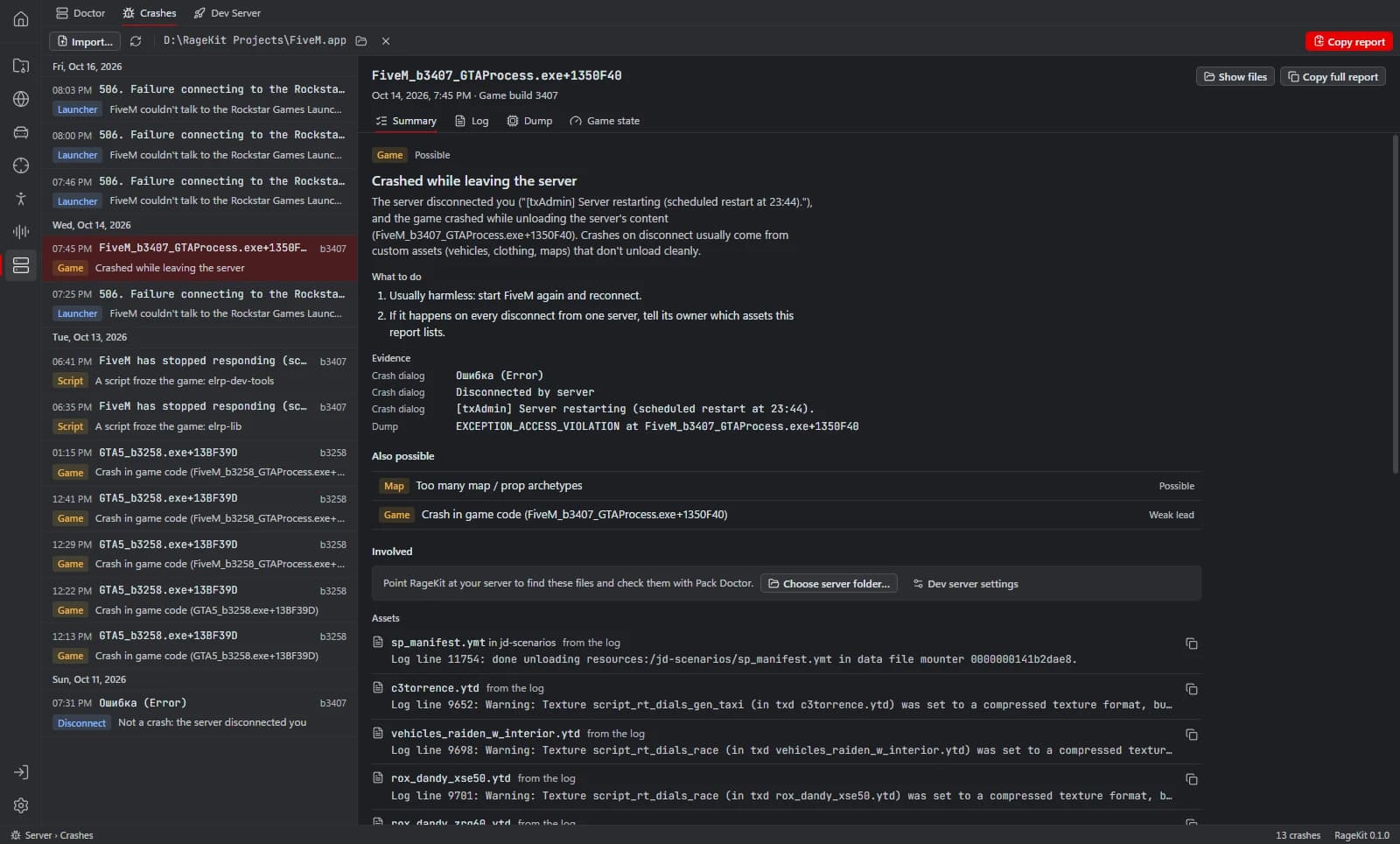
Open Server › Crashes. Recent FiveM crashes are listed, or import a file someone sent you.
Read the cause
Pick a crash and read the likely cause and the evidence in the Summary, Log, Dump and Game state tabs.
Follow the fix
Each cause lists fixes, such as removing modified game files: FiveM needs a clean GTA V install.
Check the server
If an asset is to blame, scan the server with Server Doctor for stream conflicts, assets over 16 MB and unoptimised textures.
Share
Use Copy report or Copy signature to share the crash with the server's developers.
Questions
Is the Crash Analyzer free?
Yes, and so is the Server Doctor scan. Applying Server Doctor's fixes needs Premium.
Can it always name the exact cause?
No tool can for every crash. It reports the likely cause and the evidence it's based on.
Tools in this guide
Related guides
Get RageKit
Free for Windows 10 and 11. No account needed.
There's no Windows installer on the latest release yet. Check the changelog for when it lands.