 RageKit
FiveM crash analyzer
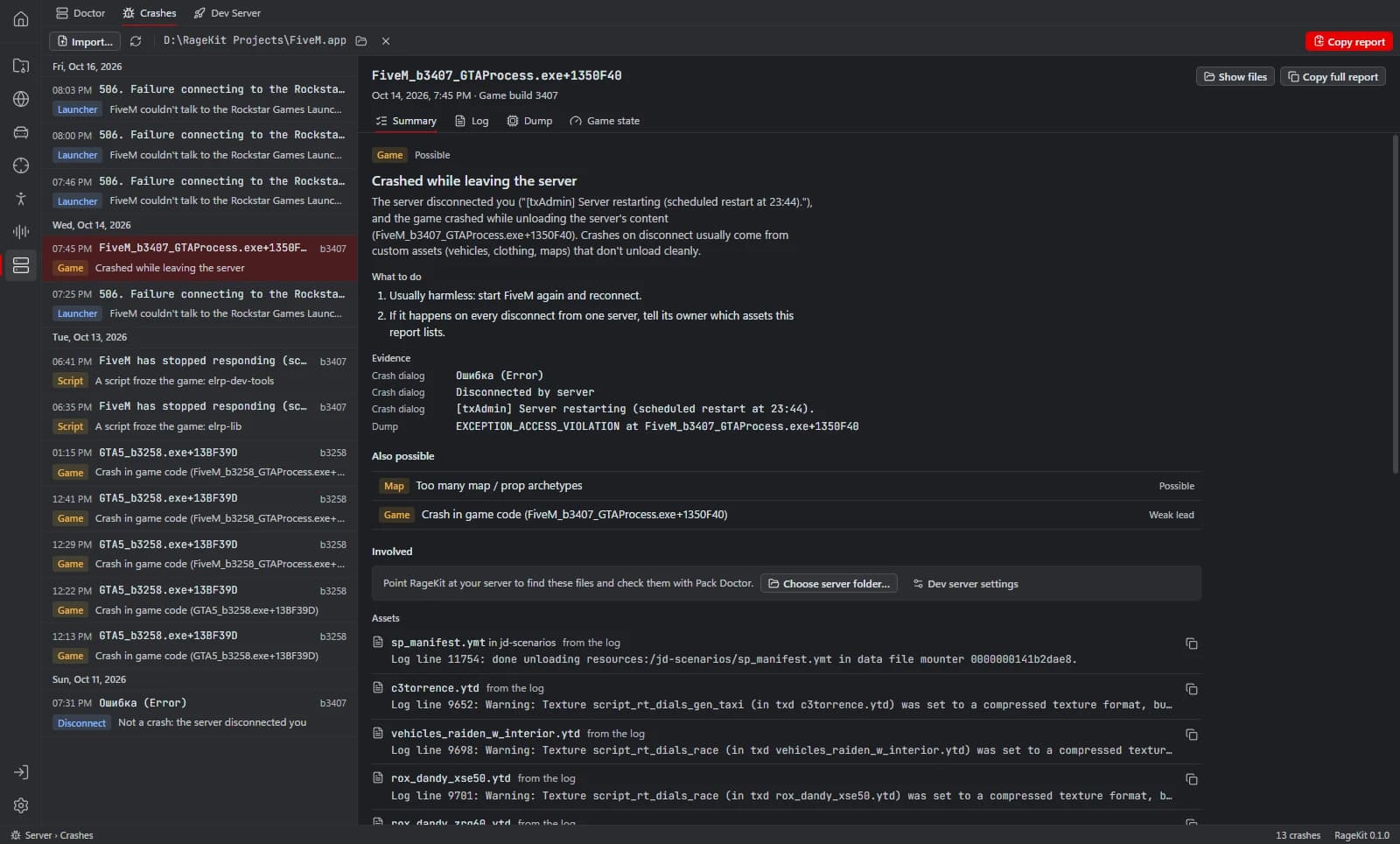
Crash Analyzer reads FiveM's crash dumps and logs from FiveM.app\crashes, or files you import, and gives the likely cause with its evidence and fixes. Its rules cover disconnects, the launcher, script hangs and errors, game files, overlays, graphics, running out of memory, and broken or missing assets.
What it does
- Reads FiveM crashes automatically, or imported .dmp, .log, .gamelog, .zip and .txt files
- A likely cause with evidence and fixes
- Summary, Log, Dump and Game state tabs
- Matches crashes to resources on your dev server and checks them with Pack Doctor
- Copy report and Copy signature for sharing
How it works
Open Crash Analyzer
Open Server › Crashes. Recent FiveM crashes are listed.
Pick a crash
Read the likely cause and the evidence behind it.
Fix it
Follow the suggested fix, or check the resource behind it with Pack Doctor.
File formats
| File | RageKit | Notes |
|---|---|---|
.dmp | Reads | Crash dumps |
.log / .gamelog / .txt | Reads | FiveM logs |
.zip | Reads | Crash reports |
Free and Premium
Crash Analyzer is free and needs no account.
Good to know
- It explains likely causes from the evidence; it can't guarantee the cause of every crash.
Questions
Where are FiveM crash dumps?
In FiveM.app\crashes. Crash Analyzer reads them from there automatically, and you can import a dump, log or zip someone sent you.