 RageKit
How to make custom siren sounds for FiveM
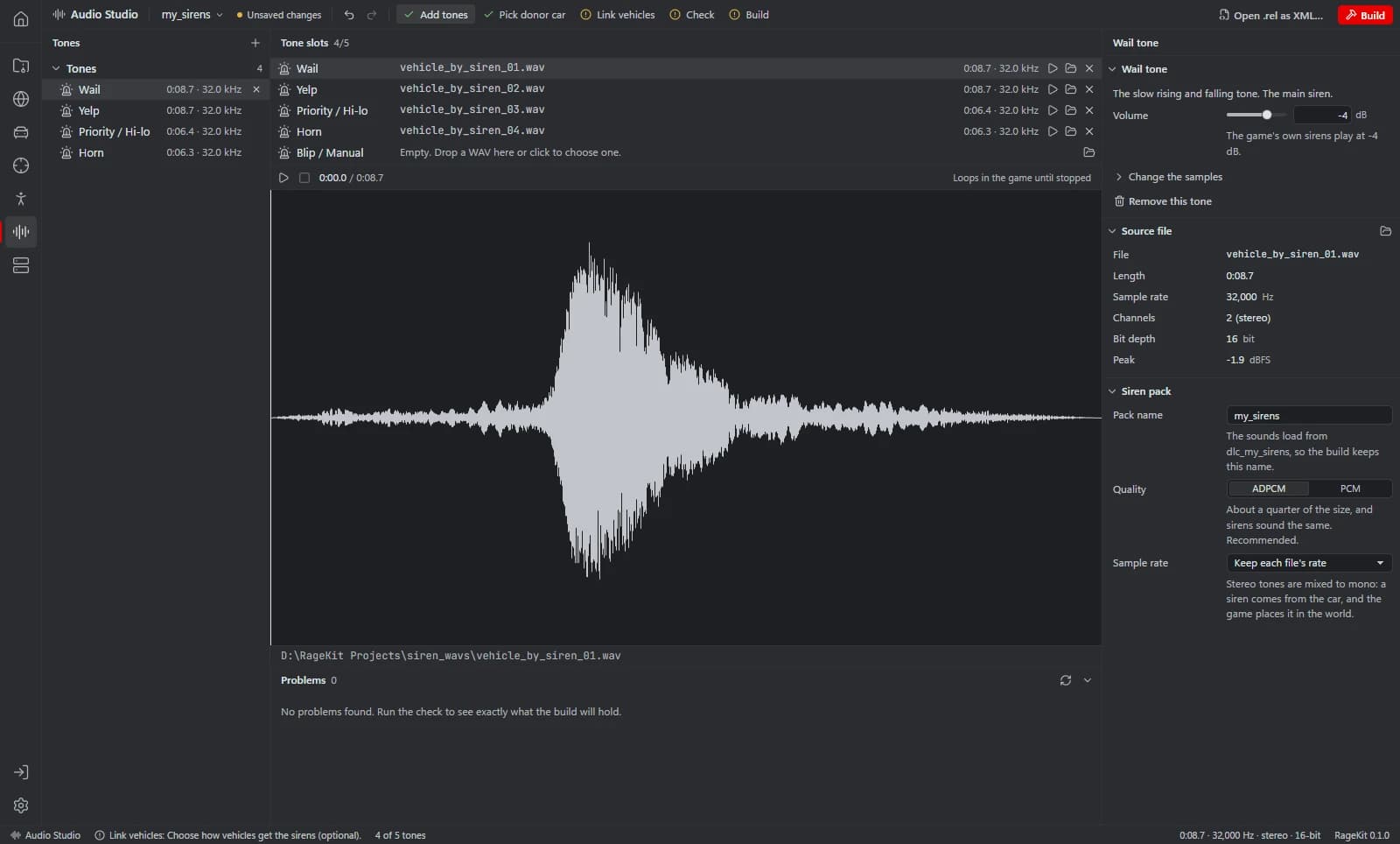
Custom siren sounds in GTA V are an audio pack: the tones as .awc files in dlc_<name>, and .rel files that describe them. RageKit's Audio Studio has a Siren pack type: add WAV tones for wail, yelp, priority, horn and blip, pick a donor car, link your vehicles, and build. Cars play the tones from a generated Lua example, or natively through a donor car's audio settings, which the app marks experimental.
Before you start
- Your tones as WAV files (PCM or float; not ADPCM or MP3-in-WAV).
- Premium for the final Build.
Steps
Start a siren pack
In Audio Studio choose Siren pack.
Add tones
Add a WAV for each slot: wail, yelp, priority, horn and blip. Tones are mixed to mono.
Pick a donor car
Pick the car whose audio settings the siren builds on (police3 by default).
Link vehicles
Scripted: choose Show the Lua example for code using
RequestScriptAudioBankandPlaySoundFromEntity. Native (experimental): the vehicles use a copy of the donor's audio settings throughaudioNameHash.- The native link also gives the car the donor's engine and horn sound.
Check and build
Build a FiveM resource; the build is named after the pack so the sounds find
dlc_<name>.Start it
Add the resource to your server and ensure it before the vehicles that use it.
What the resource contains
sfx/dlc_<name>/*.awc: the tones, registered with an AUDIO_WAVEPACK data_file line.
audioconfig/: the .rel files, registered as AUDIO_SOUNDDATA and AUDIO_GAMEDATA.
Questions
Does it include a siren controller?
No. Scripted sirens come with example Lua; there's no built-in siren controller.
Can I use MP3 files?
No, WAV only. Convert MP3 or OGG to WAV first.
Does it work in singleplayer?
Audio packs also build as a singleplayer DLC pack, an OIV package or a copy in mods/.
Tools in this guide
Related guides
Get RageKit
Free for Windows 10 and 11. No account needed.
There's no Windows installer on the latest release yet. Check the changelog for when it lands.