 RageKit
GTA V path node (YND) editor and navmesh viewer
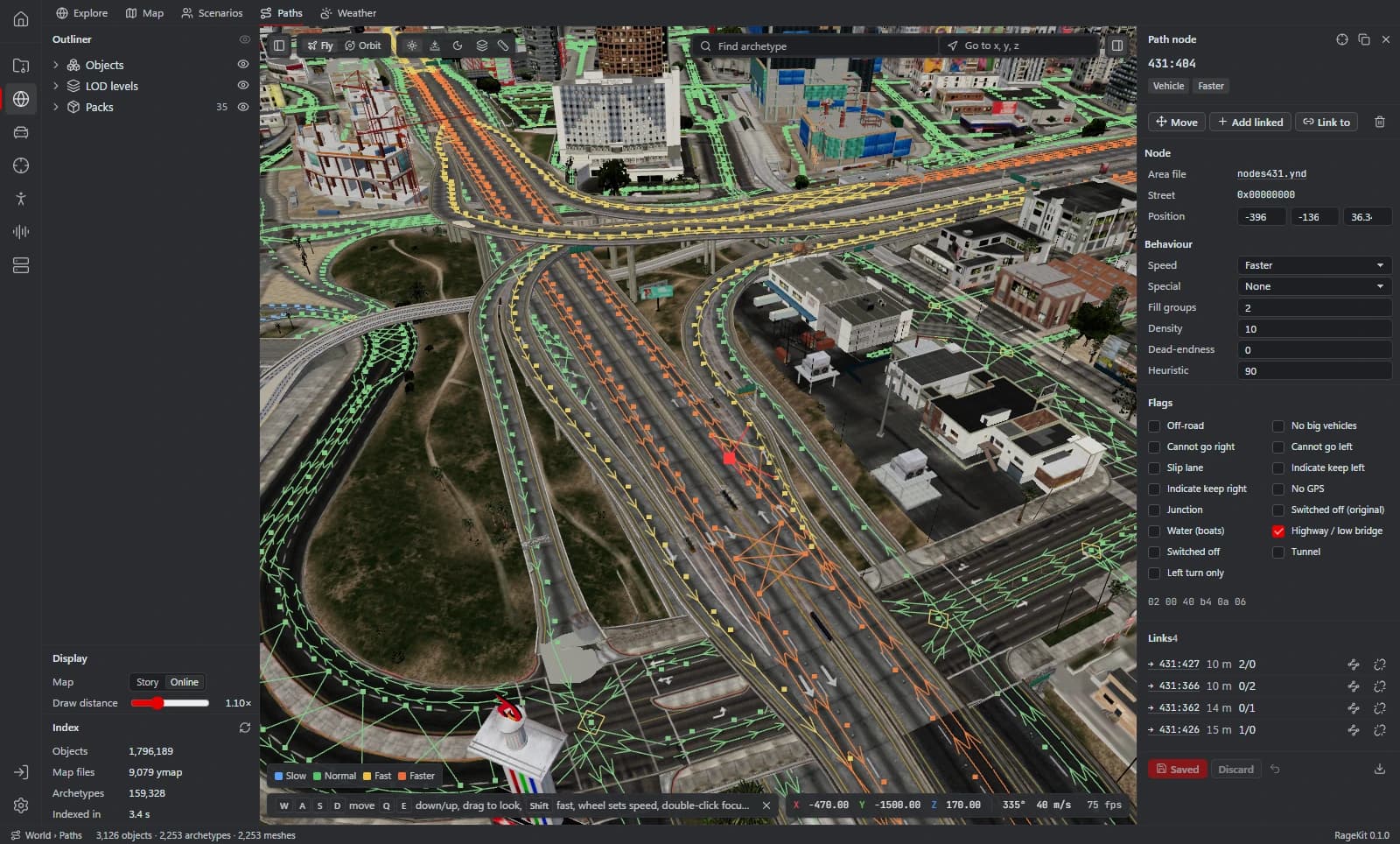
The Path Editor shows GTA V's vehicle paths, ped paths, junctions and navmeshes over the 3D map, coloured by speed, road type or density. You can move path nodes, change their speed, type and flags, add or delete nodes and link or unlink them, then save the changed areas into mods/ or export nodesN.ynd files.
What it does
- Vehicle paths, ped paths and junctions, coloured by speed, road type or density
- Navmesh, cover points, interior navmesh and vehicle navmesh overlays
- Move, add and delete nodes; change speed, special type and flags
- Link and unlink nodes, with undo and discard
- Save changed areas to mods/ or export nodesN.ynd
How it works
Open the Paths tab
Open GTA V, then World › Paths.
Show what you need
Turn on vehicle or ped paths and pick a colouring.
Edit nodes
Select nodes to move them, change flags, or link and unlink them.
Save
Save the changed areas into mods/, or export the .ynd files.
File formats
| File | RageKit | Notes |
|---|---|---|
nodesN.ynd | Reads and writes | Path nodes and links |
.ynv | Reads | Navmeshes, view only |
Free and Premium
The Path Editor is free and needs no account.
Good to know
- Navmeshes (.ynv) are read-only: no navmesh editing or generation.
Questions
Can I edit navmeshes?
No. Navmeshes are shown for reference only. Path nodes (.ynd) can be edited.
Where are path edits saved?
Save writes the changed areas into mods/; the first save copies update.rpf there. You can also export nodesN.ynd files.
Guides
- How to make a custom map (ymap) for FiveMPlace props and your own models, build an MLO interior if you need one, generate LODs, and build the ymap and ytyp into a FiveM map resource.
- GTA V file formats explained: RPF, YDR, YTD, YFT and YMAPWhat RPF, YDR, YDD, YFT, YTD, YBN, YMAP and YTYP files are, how they fit together, and which RageKit tool opens or makes each one.