 RageKit
GTA V scenario and population editor
Scenario Studio edits where peds and vehicles appear in GTA V: scenario points, chains and clusters in scenario/*.ymt, sp_manifest.ymt groups, ped and vehicle model sets, population zones and groups, and car generators in ymaps. Game data is shown on the 3D map, read-only, and Edit copies what you want to change into your project.
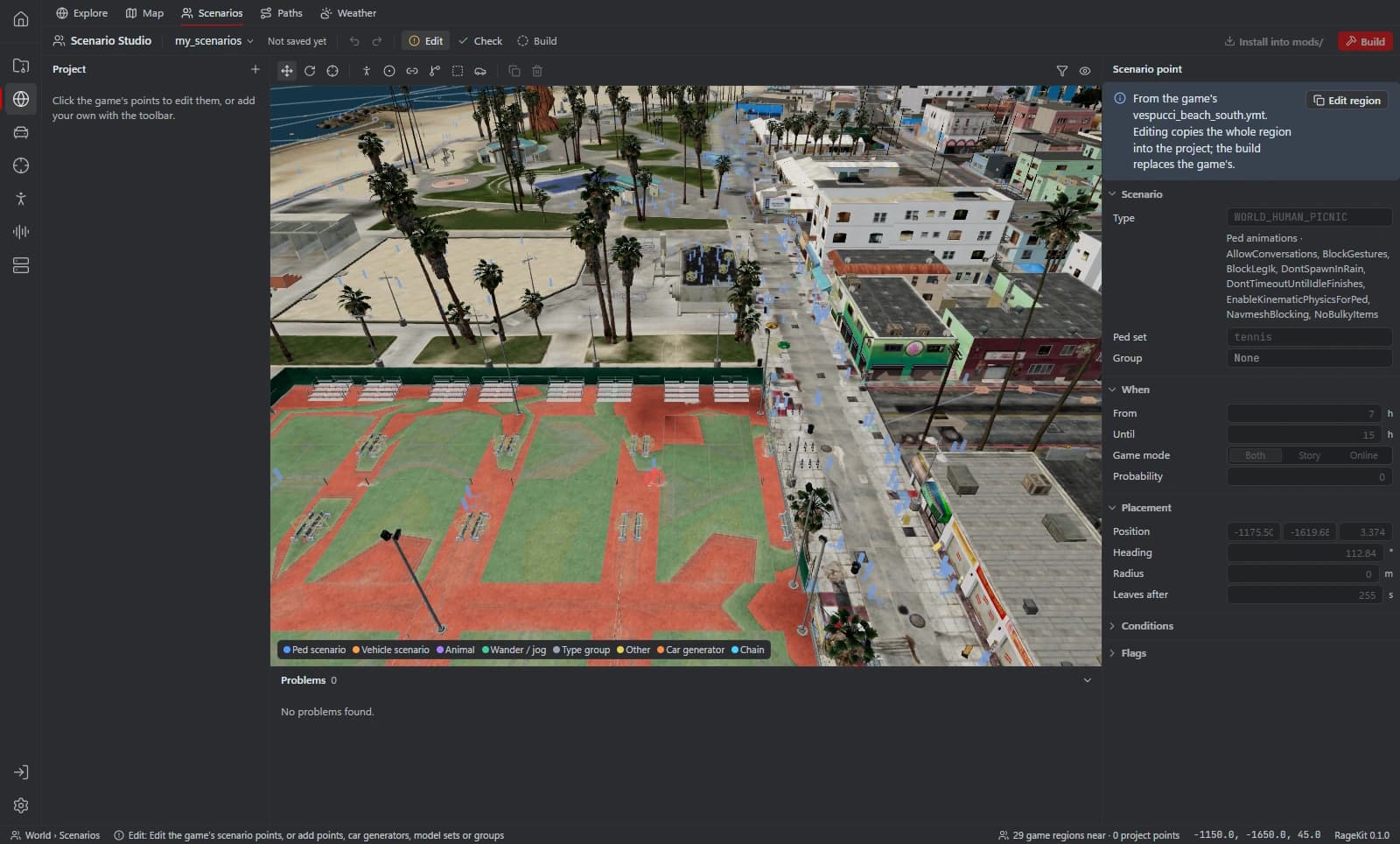
What it does
- Scenario point regions: points, chains, clusters and entity overrides
- Scenario groups in sp_manifest.ymt
- Ped and vehicle model sets
- popzone.ipl, zonebind.ymt and popgroups.ymt
- Car generators in ymaps
- Edit, Copy as new or New empty, with game data shown dimmed beside your changes
How it works
Open GTA V
Mount your install so game scenarios show on the map.
Pick data
Select game data and choose Edit, Copy as new, or start New empty.
Edit on the map
Place and adjust points, chains and car generators in 3D.
Build or install
Build a FiveM resource or install into mods/ for singleplayer.
File formats
| File | RageKit | Notes |
|---|---|---|
scenario/*.ymt | Reads and writes | Scenario point regions |
sp_manifest.ymt | Reads and writes | Scenario groups |
popzone.ipl / zonebind.ymt / popgroups.ymt | Reads and writes | Population zones and groups |
.ymap | Reads and writes | Car generators |
Free and Premium
Editing is free. Build and Install into mods/ need Premium.
Good to know
- New scenario regions load on FiveM only.
- popgroups and zonebind work on FiveM; singleplayer needs Install into mods/.
- popzone.ipl can't load from a resource or pack; it goes into mods/ only.
Questions
Can I add car generators?
Yes. Car generators live in ymaps, and Scenario Studio edits them on the 3D map alongside scenario points.
Do scenario changes work in singleplayer?
Some do. New regions load on FiveM only, and population files need Install into mods/ for singleplayer. The app shows which applies before you build.