 RageKit
How to install mods into the GTA V mods folder
The mods folder is a copy of the game's archives inside GTA V/mods/ that mods are written into, so the original files stay untouched and a broken mod is easy to remove. GTA V only reads it when a mods-folder loader is installed, commonly OpenIV's ASI loader. RageKit writes every edit to mods/: Copy to mods makes an archive editable, the mods manager turns DLC packs on in dlclist.xml, and the OIV installer previews and backs up each package.
Before you start
- A singleplayer GTA V install. FiveM needs a clean game; don't point FiveM at a modded install.
- A mods-folder loader for the game, such as OpenIV's ASI loader. RageKit doesn't ship one.
Steps
Open GTA V
Open the RPF Explorer and choose Open GTA V. Everything outside mods/ is read-only.
Copy to mods
Right-click the archive you need to change and choose Copy to mods (make editable).
Replace or import files
Open the copy in mods/ and use Import files… or replace a texture. Changed files are marked M or A.
Add DLC packs
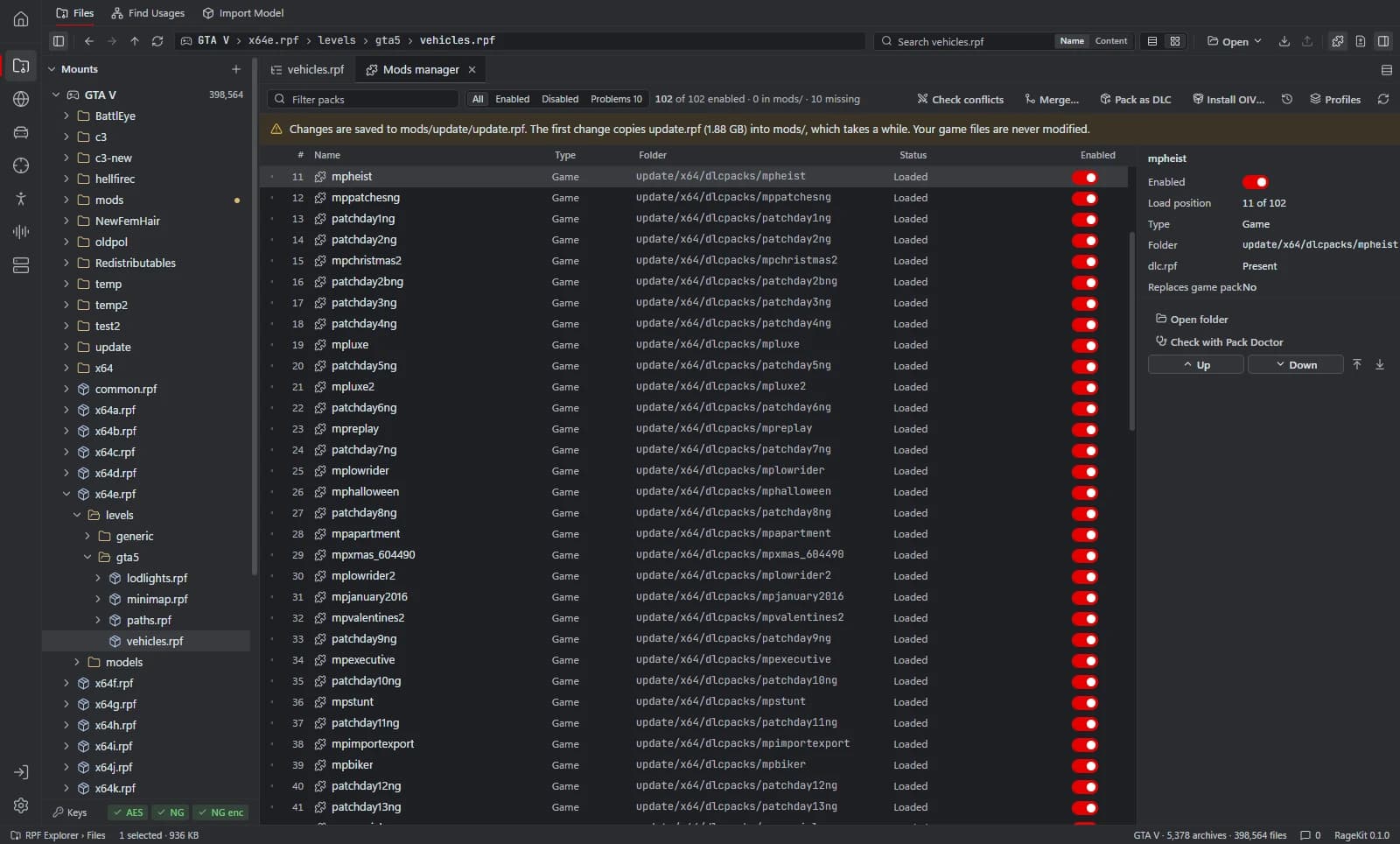
Put addon packs in mods/update/x64/dlcpacks and switch them on in the mods manager, which edits dlclist.xml.
Install OIV packages
Choose Install OIV…, read the preview of every change, and install. You can uninstall it later.
Check and revert
Run Check conflicts to see overlapping mods, and use the Changes view to revert any file to the game version.
Why use the mods folder
Game updates replace the original archives. Mods in mods/ survive as copies and can be removed by deleting them.
A broken mod never damages the original install, so verifying game files isn't needed to undo it.
Questions
Do mods in the mods folder work in FiveM?
No. FiveM uses resources on the server and needs a clean GTA V install. Build FiveM resources instead.
Does RageKit install the ASI loader?
No. Install a mods-folder loader yourself; RageKit writes the files.
Tools in this guide
Related guides
- How to replace textures in a YTD fileOpen a GTA V .ytd, export textures to PNG or DDS, edit them, and replace them one by one or from a folder, then optimise oversized textures.
- GTA V file formats explained: RPF, YDR, YTD, YFT and YMAPWhat RPF, YDR, YDD, YFT, YTD, YBN, YMAP and YTYP files are, how they fit together, and which RageKit tool opens or makes each one.
Get RageKit
Free for Windows 10 and 11. No account needed.
There's no Windows installer on the latest release yet. Check the changelog for when it lands.