 RageKit
GTA V timecycle and weather editor
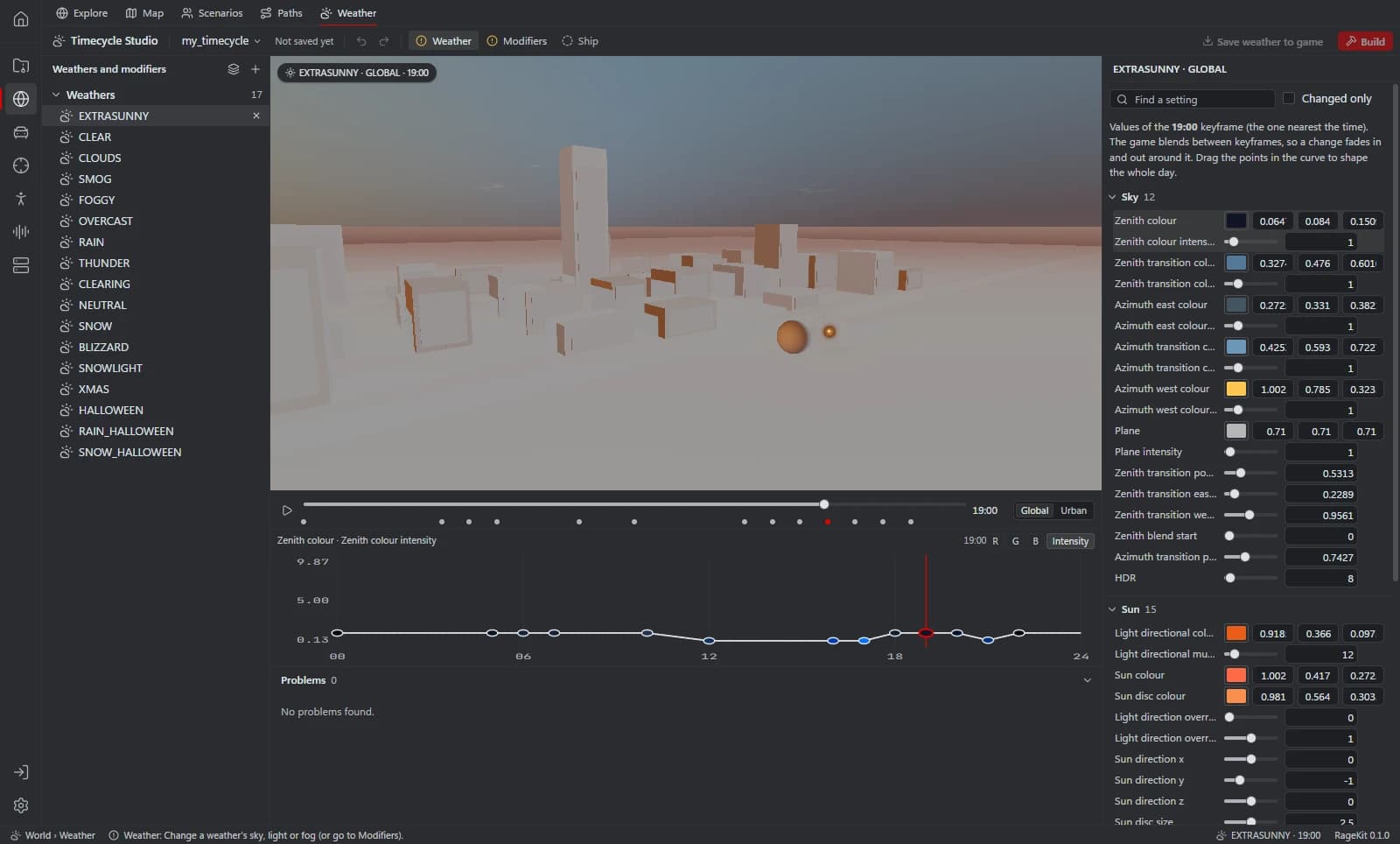
Timecycle Studio edits GTA V's weather cycle files (w_*.xml), around 420 variables per region and time keyframe, on curves: sky, sun, moon, clouds, fog, lights, post effects and colour grading, with a live preview. It also creates and edits timecycle modifiers, including a modifier made from a weather's changes.
What it does
- Weather cycle files with about 420 variables per region and keyframe
- Curves for sky, sun, moon, clouds, fog, lights, post effects and colour grading
- Live preview on a small city block
- New modifier, Edit a game modifier, and Make a modifier from this weather's changes
How it works
Pick a weather
Open GTA V and choose a weather to edit.
Edit curves
Adjust variables per keyframe and watch the preview.
Make a modifier
For FiveM, turn your changes into a timecycle modifier.
Save or build
Save weather to mods/ or export it, or build the modifier.
File formats
| File | RageKit | Notes |
|---|---|---|
w_*.xml | Reads and writes | Weather cycles |
timecycle_mods_*.xml | Reads and writes | Timecycle modifiers |
weather.xml / time.xml | Reads | Read, never written |
Free and Premium
Editing is free. Saving weather to mods/ or exporting it, and building modifiers, need Premium.
Good to know
- The preview is a sample city block, not the real game world.
- FiveM can't load weather from a resource; use a modifier and SetTimecycleModifier instead.
- No new weather types: weather.xml is never written.
Questions
Can I change the weather in FiveM?
FiveM can't load weather files from a resource, so the app suggests turning your changes into a timecycle modifier and switching it on with SetTimecycleModifier.