 RageKit
What is an OIV file and how do you install one?
An .oiv file is an installable mod package, a format introduced by OpenIV. It is a zip with an assembly.xml that lists the files to add, replace or edit in the game's archives. RageKit's OIV installer reads format 2.0 to 2.2, shows every file the package will change before it runs, writes archive changes into the mods/ folder, and can roll back or uninstall.
What's inside a .oiv file
assembly.xml: the install script, listing each file to add, replace or edit and where it goes.- A
contentfolder with the files to install. - Package details such as the name, version and author shown before installing.
How to open a .oiv file
Open your game
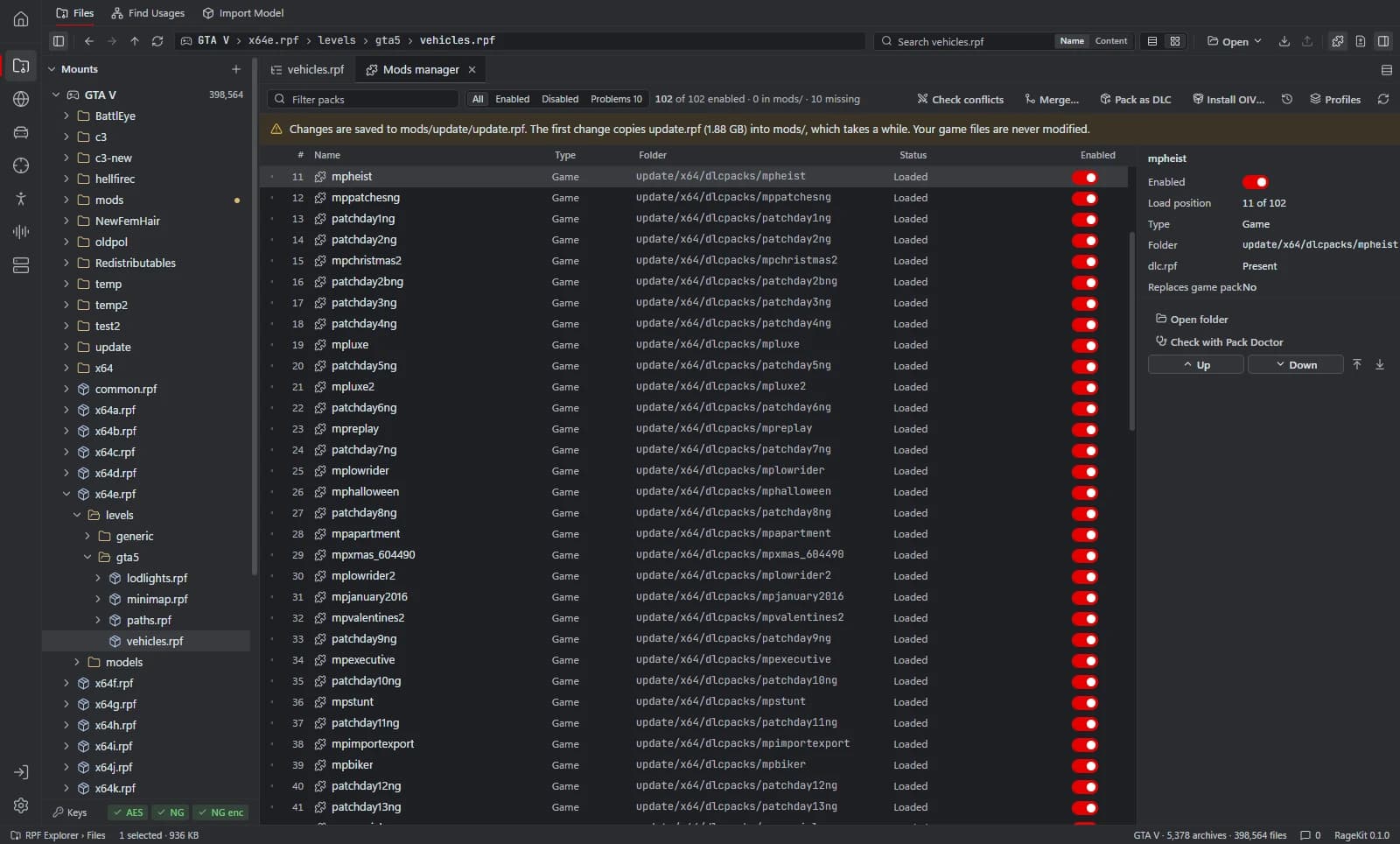
In the RPF Explorer choose Open GTA V, then open the mods manager.
Choose the package
Choose Install OIV… and pick the
.oivfile.Read the preview
RageKit lists every file the package adds, replaces or edits, with conflicts and anything that blocks the install.
Install
Archive changes are written into
mods/, and loose files are backed up first. A failed or cancelled install rolls back.Uninstall later
Uninstall from the install log to undo the package.
What RageKit does with .oiv files
- Install OIV packages (format 2.0 to 2.2) with a preview of every change
- Roll back on failure or cancel, and uninstall from the install log
- Report unknown commands instead of running them
- Build your own
.oivfrom a studio project (Premium)
Tools that read and write .oiv
| Tool | RageKit | Notes |
|---|---|---|
| Mods manager and OIV installer | Reads | OIV package format 2.0 to 2.2 for GTA V |
Questions
How do I install an OIV file?
Open GTA V in RageKit, go to the mods manager, choose Install OIV… and pick the file. Read the preview, then install. Archive edits go to the mods/ folder.
Can I see what an OIV changes before installing it?
Yes. The preview lists every file the package adds, replaces or edits before anything is written.
Can I undo an OIV install?
Yes. An install that fails or is cancelled rolls back, and a finished install can be uninstalled from the install log.
Are there OIV files it can't install?
Packages over 4 GB (ZIP64) and multi-part zips aren't supported.
Guides
Related file formats
- .rpf · RPF archiveAn RPF file is a GTA V archive that holds the game's models, textures, maps and data. How to open, extract and edit .rpf files on Windows for free.
- .meta · meta data fileA .meta file is a GTA V data file in XML: handling.meta, vehicles.meta, weapons.meta, peds.meta and more. How to open and edit them, with or without XML.
- GlossaryEvery GTA V modding format and term on one page
Open .oiv files with RageKit
Free download for Windows 10 and 11. No account needed for the free tools.
There's no Windows installer on the latest release yet. Check the changelog for when it lands.