 RageKit
How to make a custom sound pack for FiveM (WAV to AWC)
Custom sounds in GTA V are an audio pack: the audio as .awc containers in a wave pack called dlc_<name>, and a .dat54.rel file that describes each sound. RageKit's Audio Studio makes one from WAV files. Choose Sound pack, add your WAVs, pick in-memory or streamed loading, ADPCM or PCM and a sample rate, and run the check. It writes the .awc files, <name>_sounds.dat54.rel and a sound set named <name>_soundset, and shows the Lua to play them. Build then packages it as a FiveM resource.
Before you start
- Premium: Audio Studio needs it. See Free and Premium.
- Your sounds as WAV files (PCM or float; not ADPCM or MP3-in-WAV). Convert MP3 or OGG to WAV first.
- A client script to play them from. Audio Studio gives you the lines to paste.
Steps
Start a sound pack
Open Audio Studio. Under Sound pack choose Add WAVs…, or drop WAV files anywhere on the window.
Name the pack
Set Pack name: lowercase letters, digits and underscores, starting with a letter, up to 32 characters. The sounds load from
dlc_<name>, so this is also the build name.Name each sound
Select a sound and set its Name. That is what scripts ask for, in the pack's sound set. Names are taken from the file names to begin with.
Set up the container
A container is one
.awcfile. Choose Loading: In memory for short effects and loops, or Streamed for music and long sounds. Choose Quality (ADPCM or PCM) and a Sample rate.- ADPCM is about a quarter of the size of PCM. PCM is an exact copy of the WAV.
- A streamed container holds one sound. Use Add WAVs as a new container to give a long track its own.
- Sample rate keeps each file's rate by default, or converts to 48,000, 44,100, 32,000, 24,000, 22,050 or 16,000 Hz.
Set up each sound
Turn on Loop until stopped for engines, alarms and music beds, and Keep stereo for music and menu sounds. Set Volume in dB. Listen to the result with As in game in the preview.
- Sounds placed in the world are best in mono, which is the default: the game pans them itself.
Run the check
On the Check step choose Run the check. RageKit converts the WAVs and writes the game files into a scratch folder, then lists each sound, the files the build will hold and a Lua example.
Build the FiveM resource
Choose Build and pick FiveM resource. The name is locked to the pack name, because the sounds find their audio through
dlc_<name>.Play it from a script
Add the resource to your server and
ensureit. In a client script, load in-memory containers once withRequestScriptAudioBank, then play a sound withPlaySoundFrontendorPlaySoundFromEntityand the sound set<name>_soundset.- The exact lines, with your bank and sound names filled in, are under Playing them from a script (Lua) on the Check step.
What's in the resource
sfx/dlc_<name>/*.awc: one file per container, registered with an AUDIO_WAVEPACK data_file line.
audioconfig/<name>_sounds.dat54.rel: the sounds and the sound set, registered as AUDIO_SOUNDDATA.
audioconfig/<name>_game.dat151.rel: only if you add game entries under Advanced, registered as AUDIO_GAMEDATA.
fxmanifest.lua with those data_file lines written for you.
Common problems
No sound after renaming the resource: the sounds load from dlc_<name>, so the resource has to keep the pack's name. Rename the pack in Audio Studio and build again.
A WAV is refused: ADPCM and MP3-in-WAV files aren't read. Export it again as plain PCM.
A loop has a gap or a click: the whole file loops and loop points inside the file aren't supported, so trim the WAV to the part that should repeat.
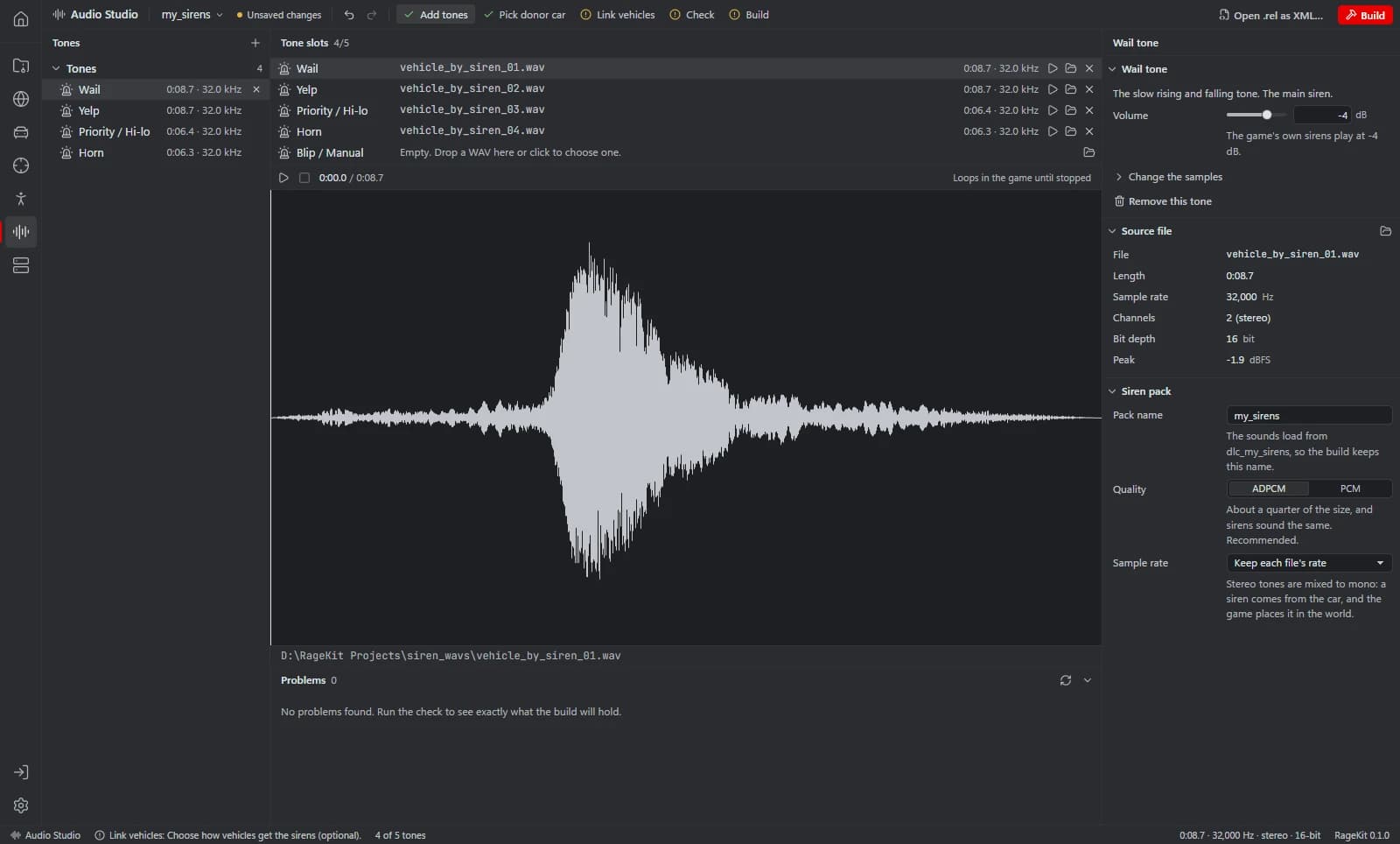
For sirens, use the Siren pack type instead: see custom siren sounds for FiveM.
Questions
How do I convert WAV to AWC?
Add the WAVs to a sound pack in Audio Studio and run the check. The .awc files are written to a scratch folder you can open with Open the scratch folder, and Build packages them as a FiveM resource or a singleplayer pack.
Can I use MP3 or OGG files?
No, WAV only. Convert them to WAV in any audio editor first.
How do I play a custom sound in a FiveM script?
Load the bank once with RequestScriptAudioBank, then call PlaySoundFrontend for a sound that isn't tied to a place, or PlaySoundFromEntity to play it from a vehicle, ped or object. Use the sound's name and the sound set <name>_soundset.
Can I change a sound that's already in the game?
You can start from one. Open a game .awc from the RPF Explorer in Audio Studio, listen to it, and choose Start a sound pack from it… to extract its WAVs into a new pack.
Tools in this guide
Related guides
- How to make custom siren sounds for FiveMTurn WAV siren tones into a GTA V audio pack, link them to emergency vehicles with a script or natively, and build it for FiveM or singleplayer.
- How to make an addon vehicle for FiveMStep by step: turn a GTA V car into a FiveM addon vehicle with its own model name, handling, colours and sirens, then build and start the resource.
- GTA V file formats explained: RPF, YDR, YTD, YFT and YMAPWhat RPF, YDR, YDD, YFT, YTD, YBN, YMAP and YTYP files are, how they fit together, and which RageKit tool opens or makes each one.
Get RageKit
Free download for Windows 10 and 11. No account needed for the free tools.
There's no Windows installer on the latest release yet. Check the changelog for when it lands.